
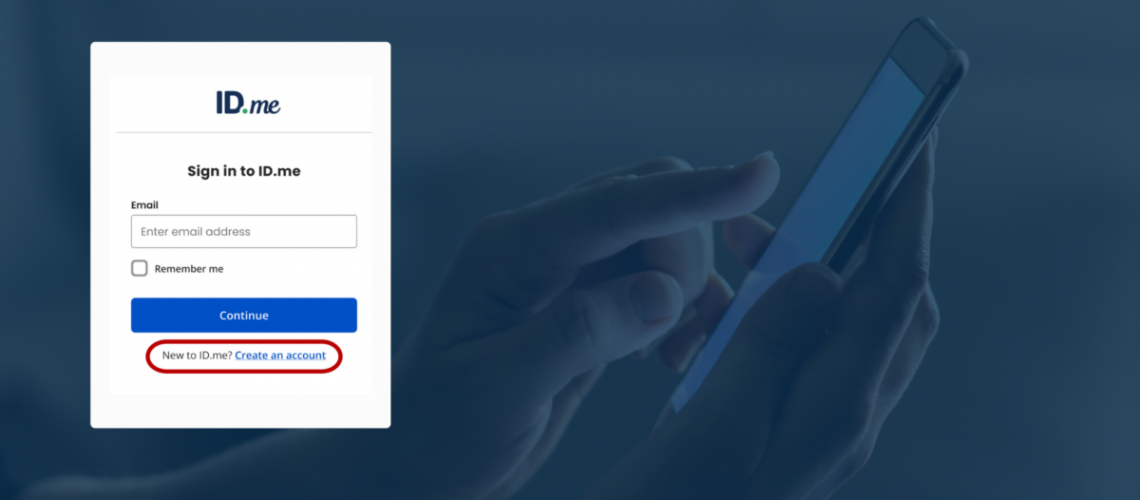
The world of tax filing is becoming more and more digital – the IRS is phasing out paper checks, filing is mostly done electronically, and tax firms like ours even use secure portals for receiving documents, sending your returns, and getting signatures. In part, most of these transitions are taking place as way to keep your personal information safe from constantly evolving fraud schemes.
One of the ways the IRS wants to help you stay safe is by creating an ID.me account. With an ID.me account, you can access your individual tax account information including balance due, payments, tax records and more. In fact, often if you have an issue you need resolved with the IRS, the first thing you’ll need to do is set up one of these accounts. But people hesitate to do so because you have to use a 3rd party app, you submit a lot of personal information, and it takes a bit of time to complete set-up. We hope to reassure you that if you follow the correct links and directions provided, setting up an ID.me is more beneficial than it is a hassle.
What is an ID.me Account
ID.me is a third-party identification service used by both the IRS and other government agencies. It allows them to securely confirm a user’s identity before allowing them to both use online tools and retrieve files with the user’s personal information. A user can access the following after setting up their account:
- Your IRS Individual Online Account
- Tax transcripts
- Online payment agreements
- Payment history
- Balances due
- Identity Protection PIN (IP PIN) requests
The set-up is a little tedious, but that is to ensure the person setting up the account is who they claim to be. ID.me helps to ensure that only authorized users can view or manage the sensitive tax information listed above. After you set up an ID.me account, you can simply log-in to your IRS account without going through the verification process each time.
Set up an ID.me Account
When you set up your account, you will have to verify your identity – but the verification step is something you will do only once. After these steps are done on your initial set-up, you will be able to log-in each time you return instead of going through the entire verification process again.
Items to Gather for an ID.me Set-Up
To set up your ID.me Wallet (account) for IRS access, have the following ready:
- A personal email address
- A unique password with at least 8 characters
- Your cell phone or something that can complete multi-factor authentication
- A Social Security number (SSN) or individual taxpayer identification number (ITIN)
- A valid government-issued photo ID such as a:
- Driver’s license or state ID
- Passport or passport card
ID.me Set-Up
When you set up your ID.me, we recommend that you navigate to the IRS website by typing in www.irs.gov rather than clicking on any links. Links can be spoofed by fraudsters and this is an instance when you want to be sure you’re navigating to the legitimate website.
Step 1 – Go to IRS.gov: After going to IRS.gov, you can click immediately from the home screen to set up an account. There are options for individual, business, and tax professionals – you will need individual or business.
Step 2: – Create an ID.me Account: Creating the actual account is as simple as submitting your email, setting a password, and confirming your details via email. From your email, you will need to set up multifactor authentication, which can be done through text messaging or downloading an app.
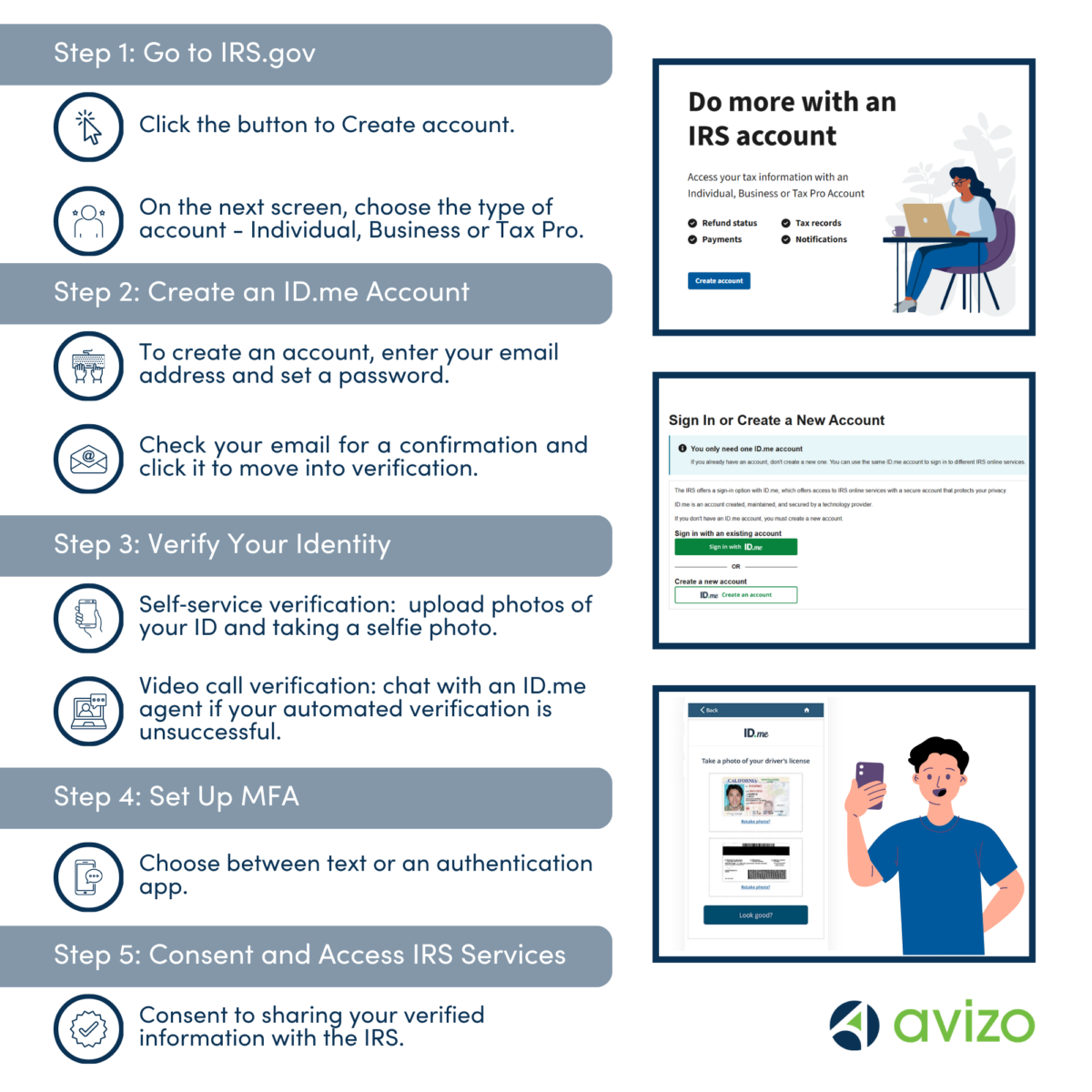
Step 3 – Verify Your Identity: Verifying your identity is one of the steps in the process that may cause hesitation. In this step, you have to both provide photos of a form of identification (such as a driver’s license) and you have to take a photo of yourself. While this may feel uncomfortable, it’s the best measure to show the person setting up the account really is who they say they are. Read more about ID.me’s online identity verification here.
Step 4 – Set up MFA: The multi-factor authentication is a step you will continue to need each time you log-in. You will not need to re-verify your identity, but you will need to either use text message verification or keep an app on your phone that can provide a code.
Step 5 – Consent & Start to Use: The IRS will need consent to share your personal information with you – once you’ve granted access, you can use the tools within your IRS account.
Contact Us with Questions
Setting up this account can make it easier to see your tax records and manage refunds and payments. If you ever receive communication from the IRS asking you to set-up an ID.me – or if you just want to be proactive and set one up – our clients are welcome to call with questions.

Taylor Clinkenbeard, CPA
Taylor is a Manager in our tax and client accounting services teams. She has developed specific expertise in software, accounting processes, and tax laws to serve our clients.
